
✱What you need before you start
- An active account in InmoPro CRM.The plugin doesn't work without it: it's where the real estate and the license come from. You can start with theCRM real estate for freeit doesn't happen.
- A domain (por ejemplo
tuinmobiliaria.com). - A hosting with WordPress.Whatever: Raiola, Webcompany, SiteGround, IONOS, Hostinger... The most basic plan is enough.
- Your properties loaded in the CRMwith pictures. What's on InmoPro is what's on the web.
1Copy your license key
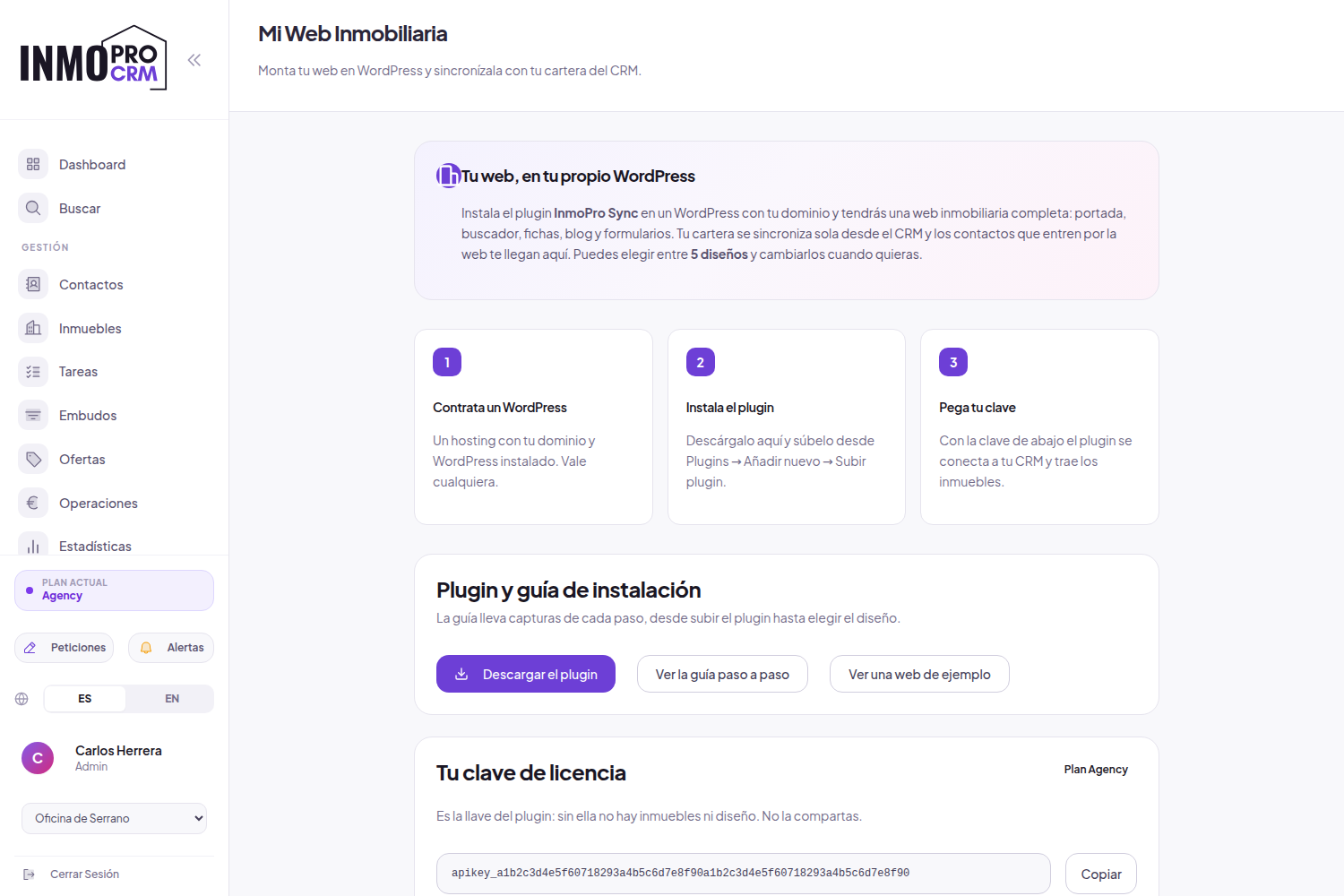
Get into InmoPro CRM and go toMy Web (WordPress)on the left menu.
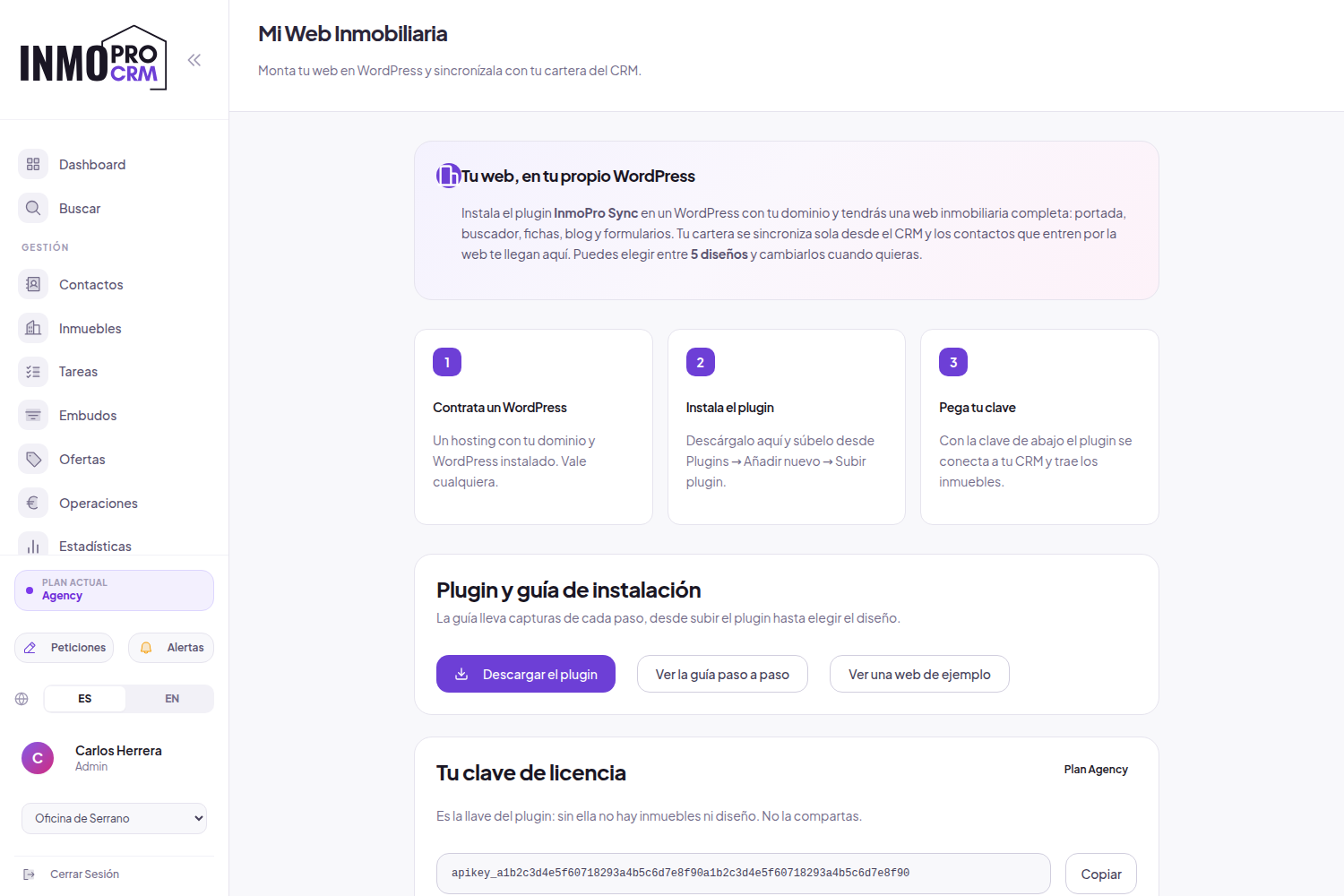
- PressDownload the plugin. Se te guardará un archivo
inmopro-sync.zip. No lo descomprimas. - Come down toYour license keyand pressCopy.
2Have your WordPress ready
If your hosting has already installed it, jump to step 3.
- Hire the hosting with your domain.
- Find on your panel the WordPress installer (usually called "Install WordPress" or "WordPress Toolkit") and use it.
- Point to the user and the administrator password you ask for.
- Entra en
tudominio.com/wp-adminpara comprobar que puedes acceder.
3Install plugin
From the WordPress desktop, go toPlugins → Add new → Up plugin.
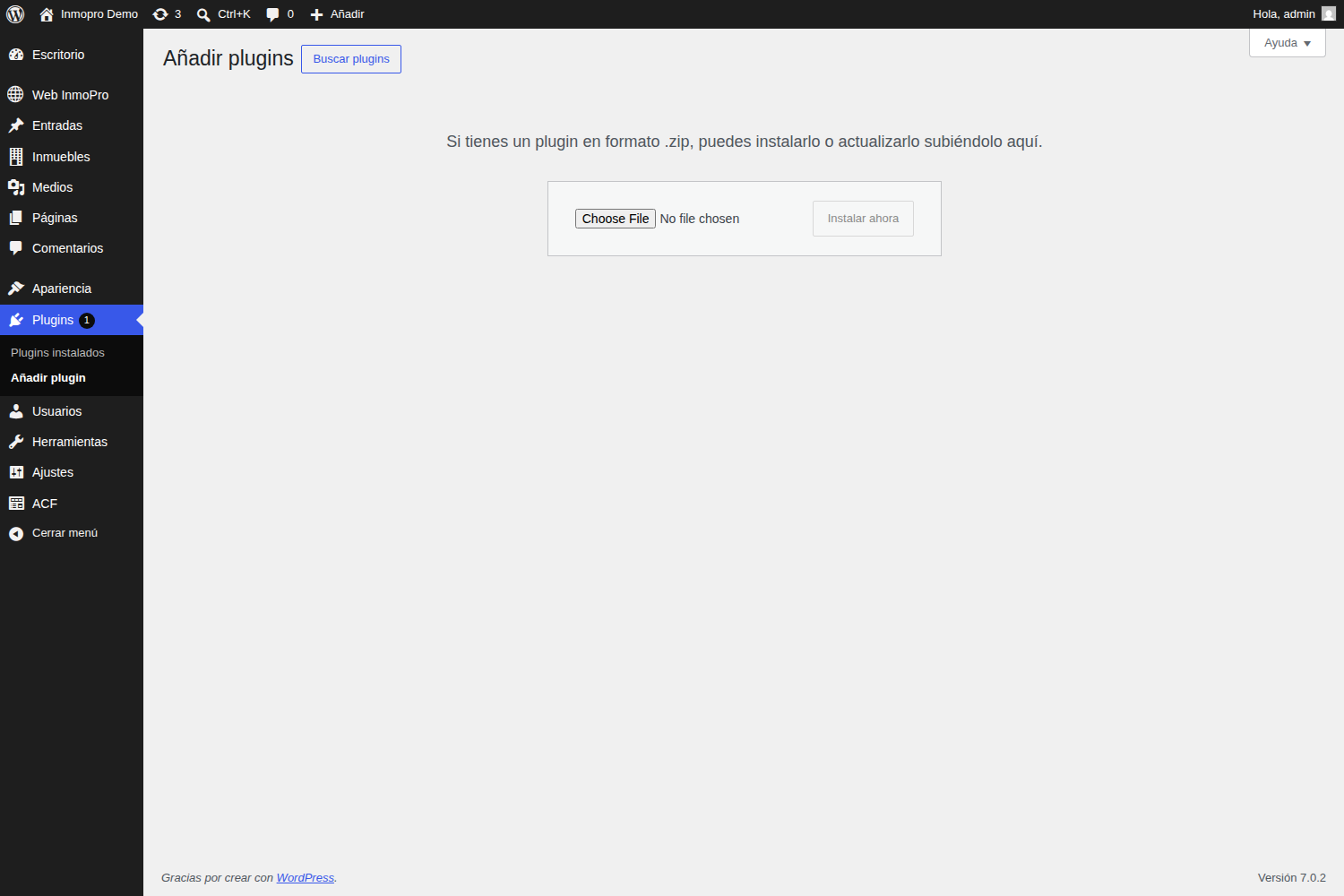
- PressSelect File y elige el
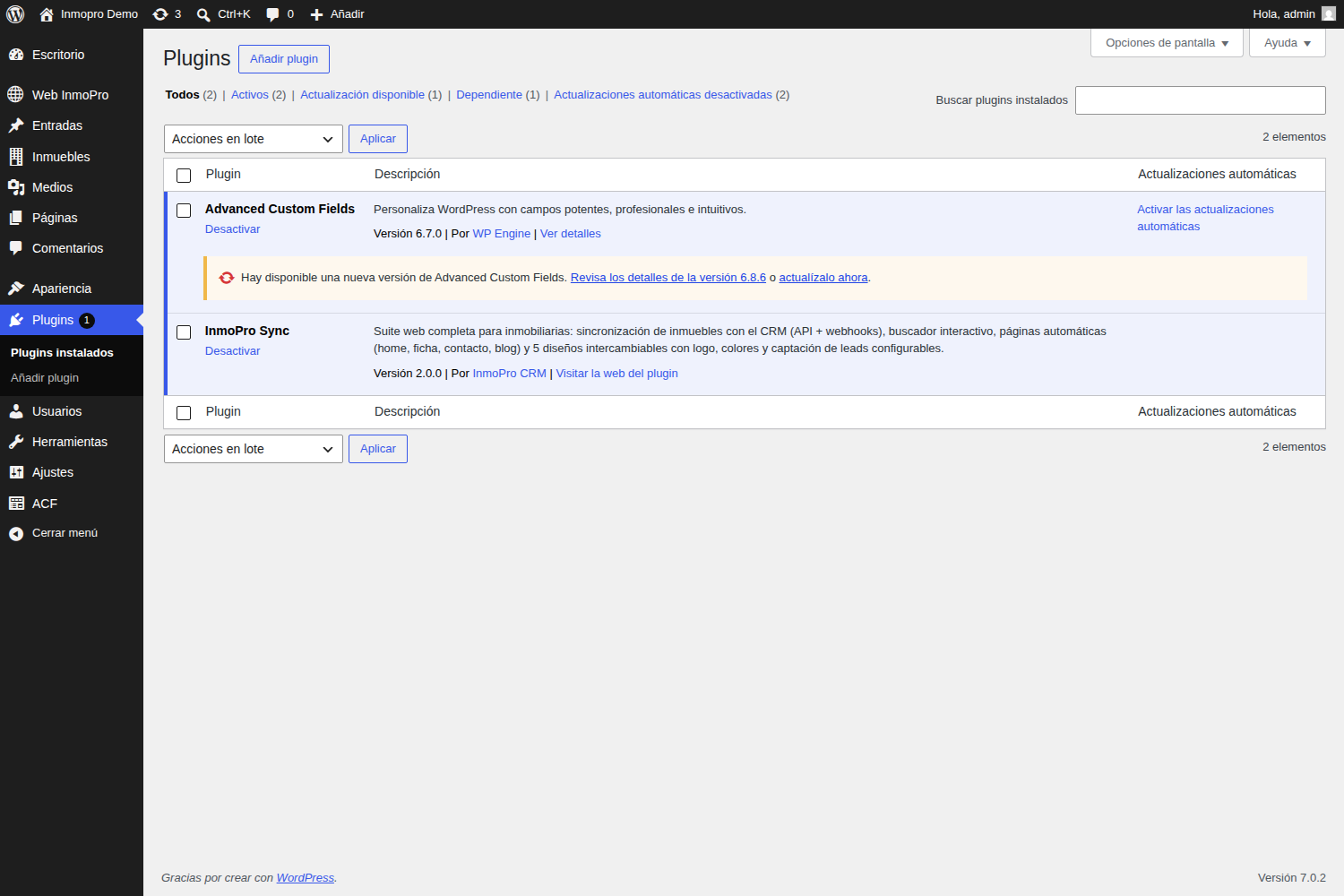
inmopro-sync.zipque descargaste. - PressInstall nowand thenActivate plugin.
4Paste the key and activate the license
Ve a Web InmoPro → Design and content. You'll see the license panel up there.
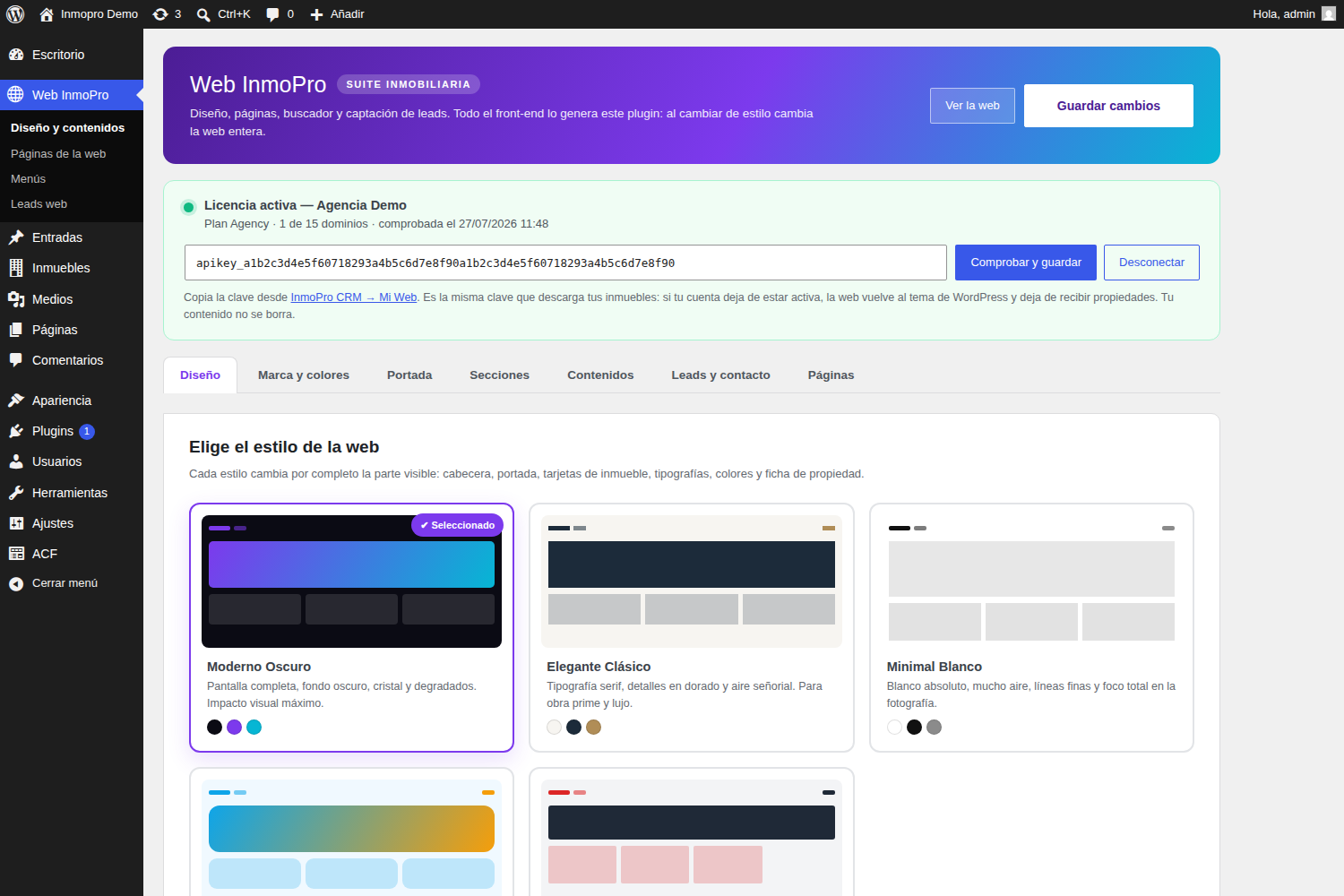
As long as the license is not active, the website continues to show the WordPress theme and no property is downloaded. As soon as it is valid, the design of InmoPro appears.
5Get your real estate
Ve a Real estate → Import.
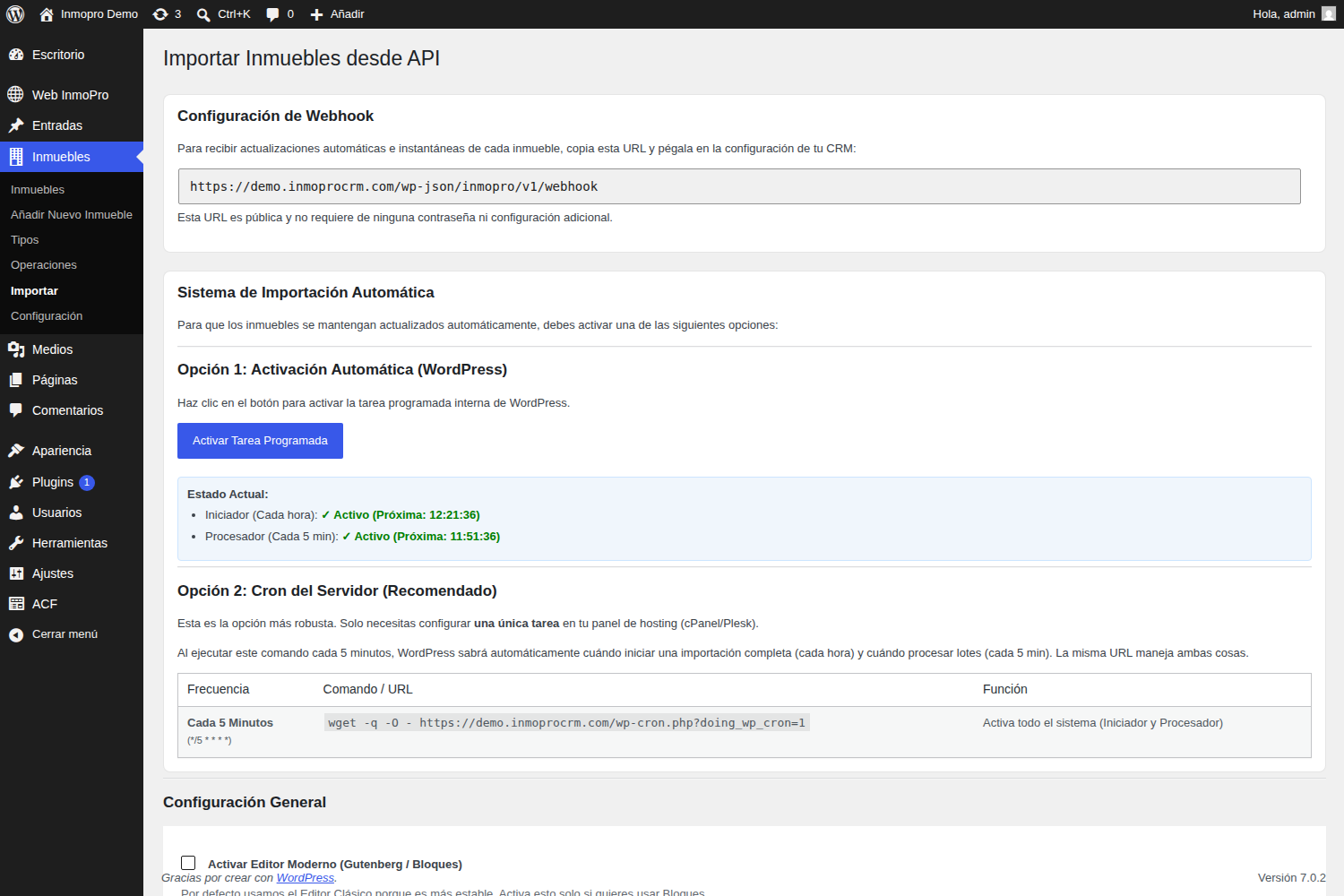
- Paste your key in the token field and save the endpoint.
- PressTryto check that it connects and see how many buildings there are.
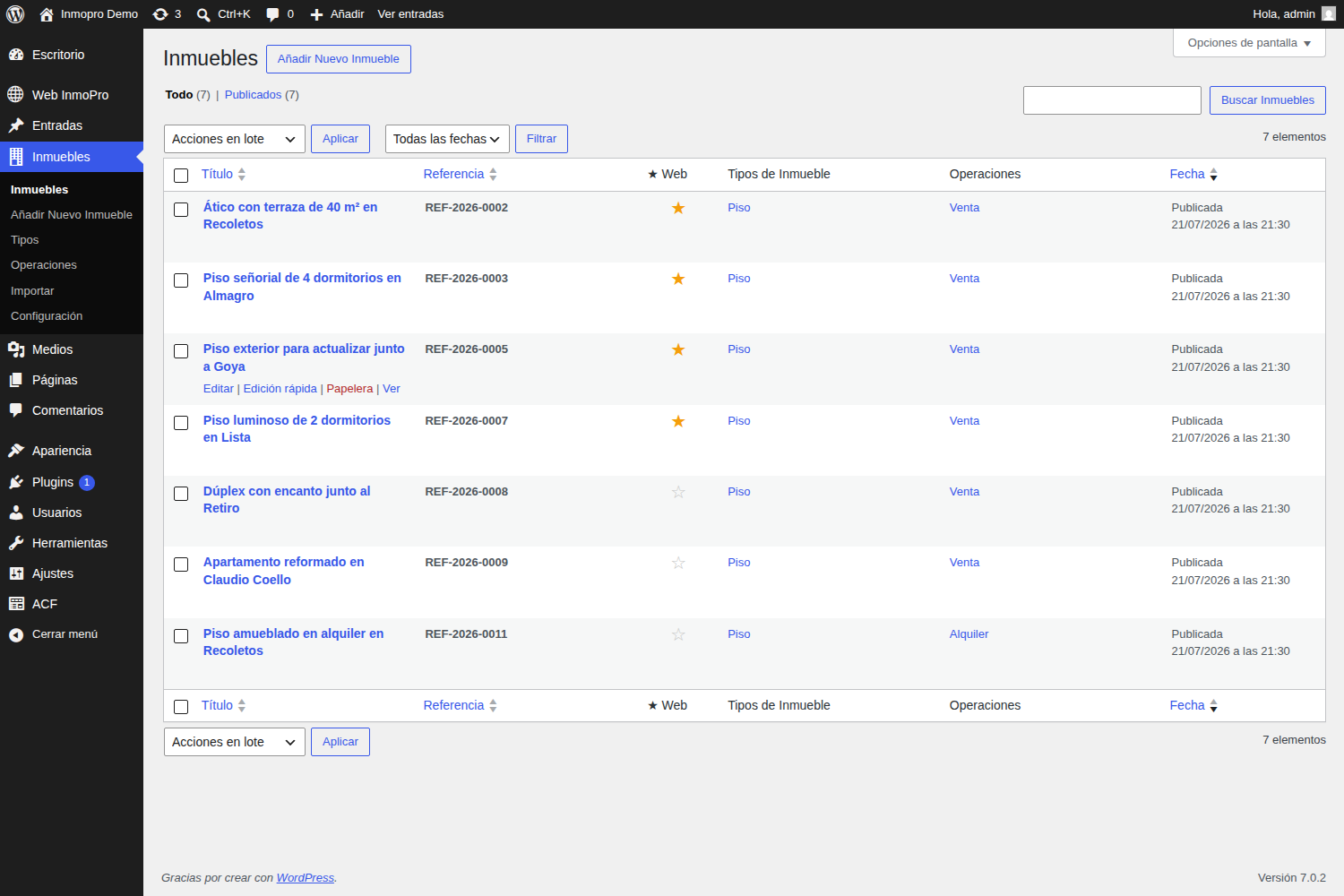
- PressImport Now. The first import takes a while because you download all the photos: let her work in the background.
- Activates theautomatic synchronizationso that from there it will be updated alone.
6Choose the design
En Web InmoPro → Designyou have five styles. They don't change just the color: they change the header, the cover, the building cards, the typographs and the property card.
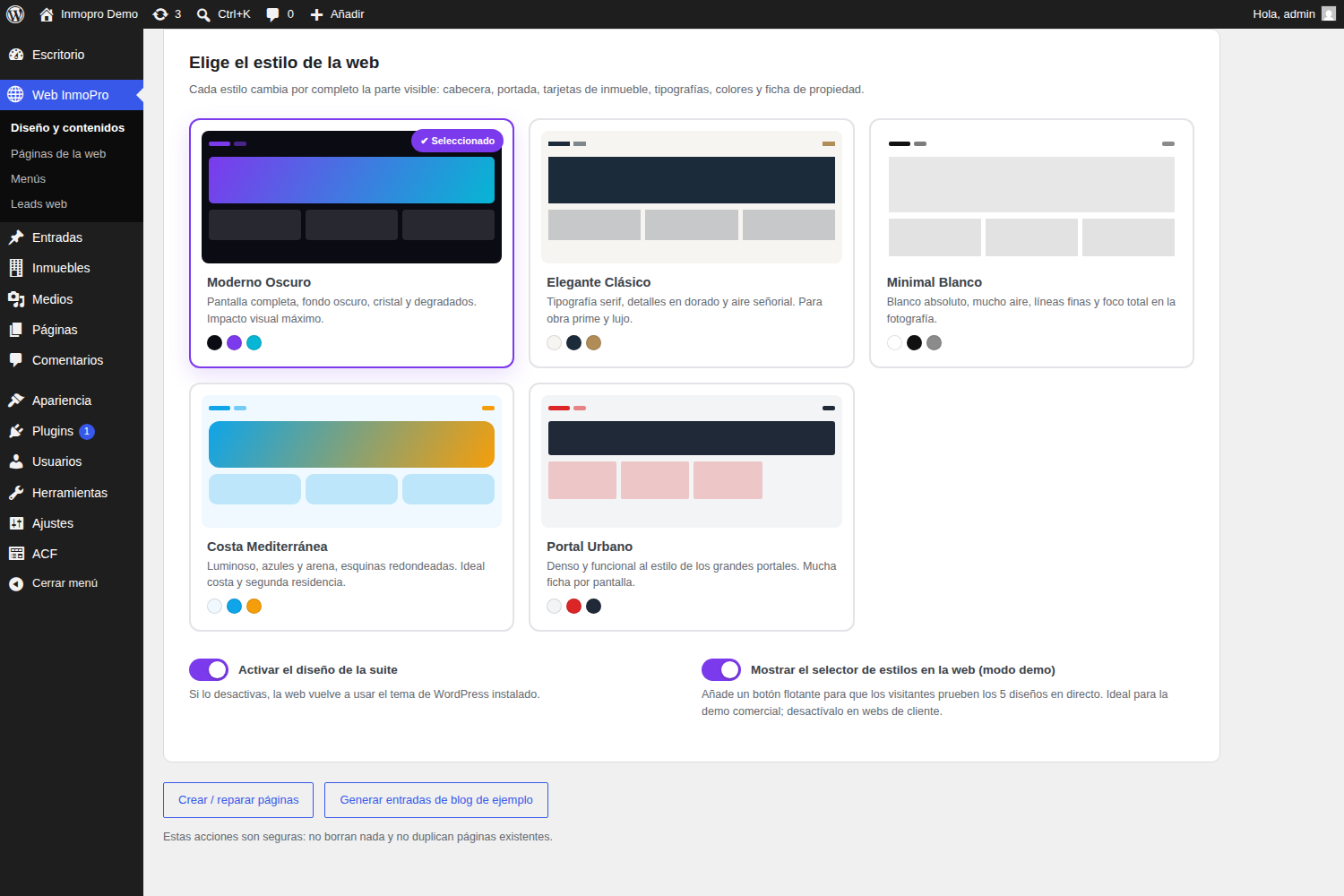

Modern Dark
Full screen, dark background and glass search engine. For agencies looking for visual impact.

Elegant Classic
Serif typography and details in gold. Fits with prime work and luxury product.

Minimum White
White, fine lines and a lot of air. All the weight is taken by the photograph.

Mediterranean Coast
Luminous, blue and rounded corners. Ideal for coast and second residence.

Urban Portal
Decent and functional, in the style of the great portals. There's a lot of tab per screen.
7Put your mark on
Pestaña Brand and colors.
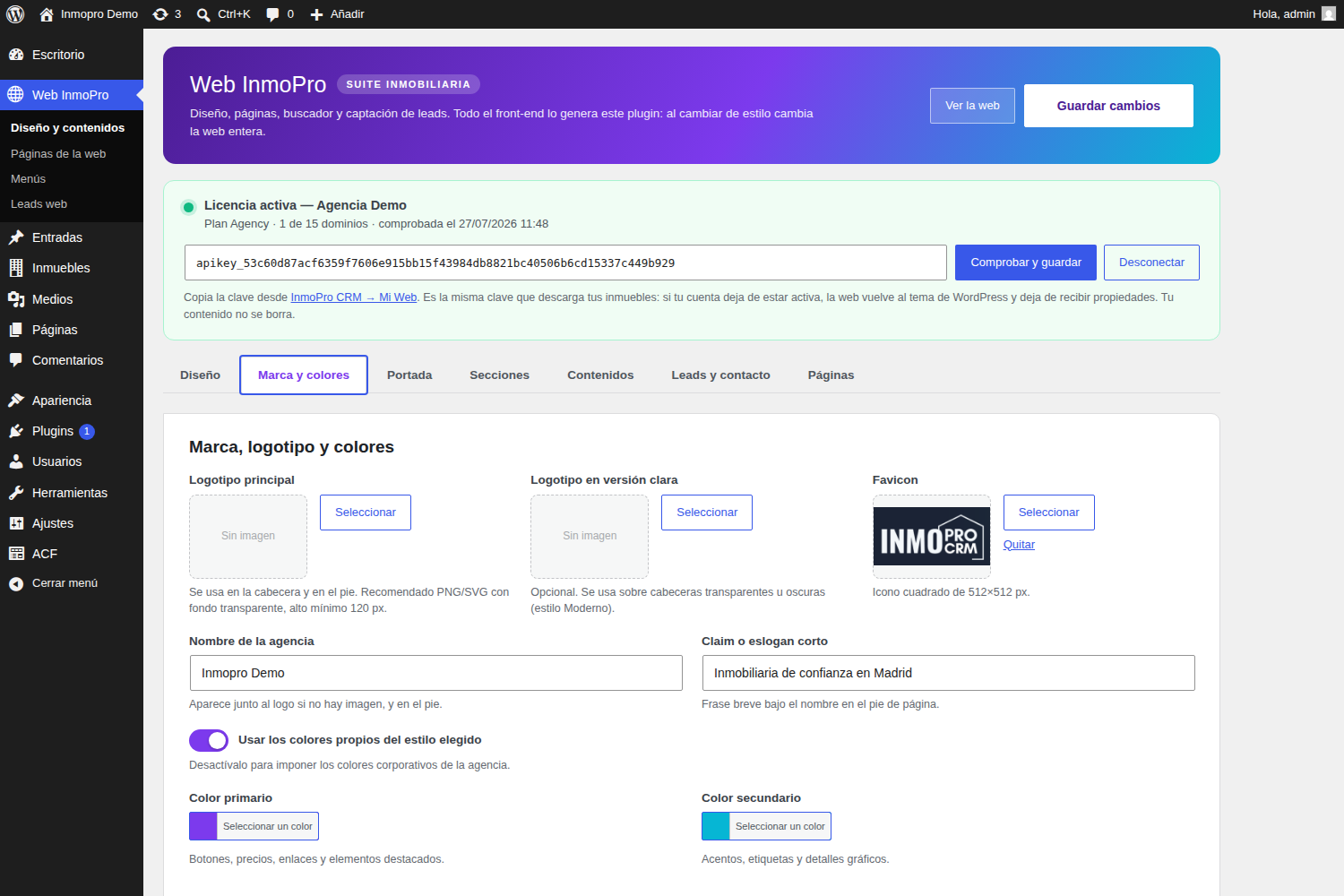
| Field | What to put |
|---|---|
| Main logo | PNG or SVG with transparent background, at least 120 px high. |
| Logotype in clear version | Optional. It is used on dark headers (modern style). If you don't put it on, you use the main. |
| Favicon | Square image of 512 × 512 px. It's the browser tab icon. |
| Colors | Disable "Use the colors of style" to impose those of your brand. |
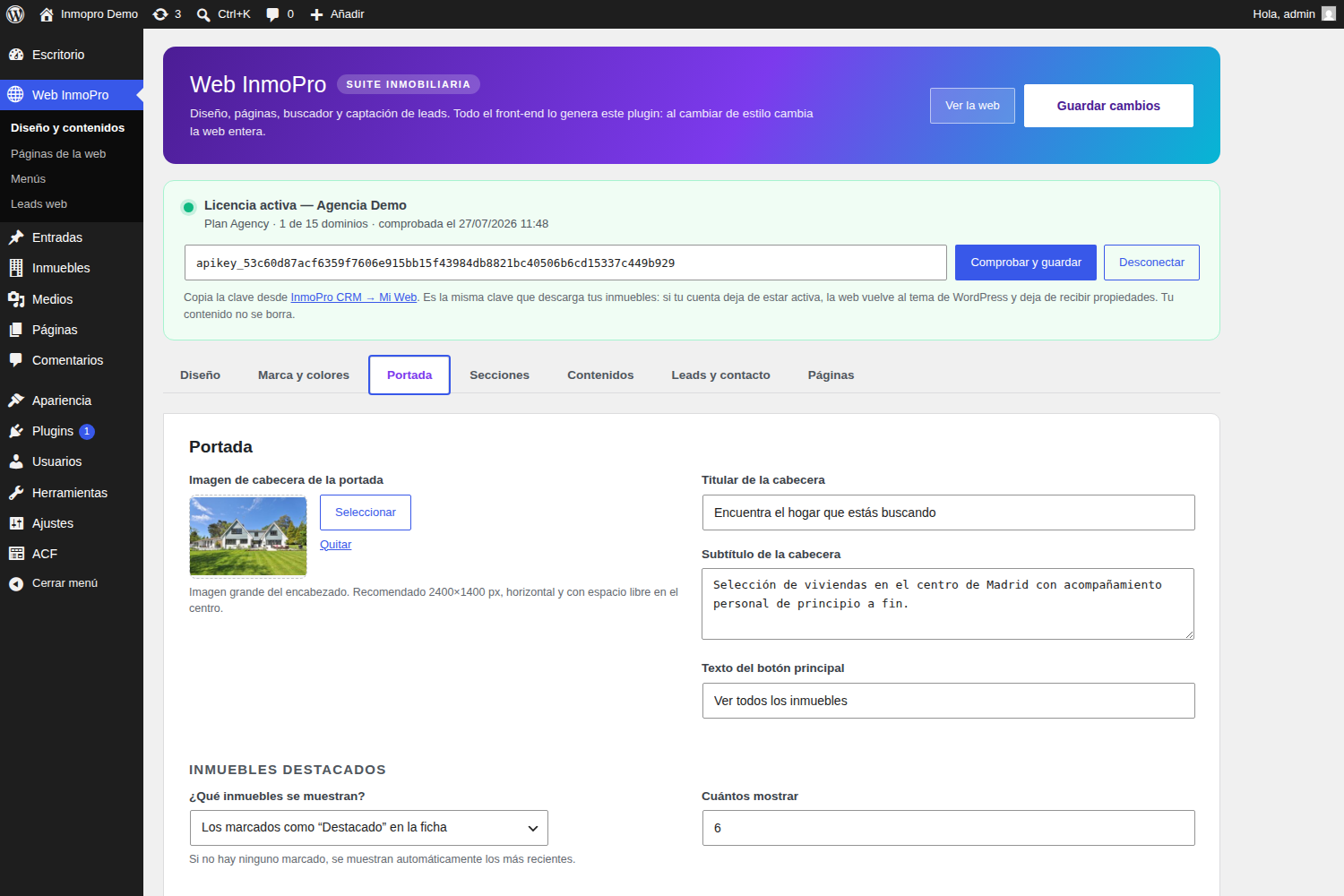
8Configure the cover
Pestaña Cover: the large header image, the holder and the confidence figures.
9Set the cover to your liking
Pestaña Sections. Here you decide what is on the home page and in what order.
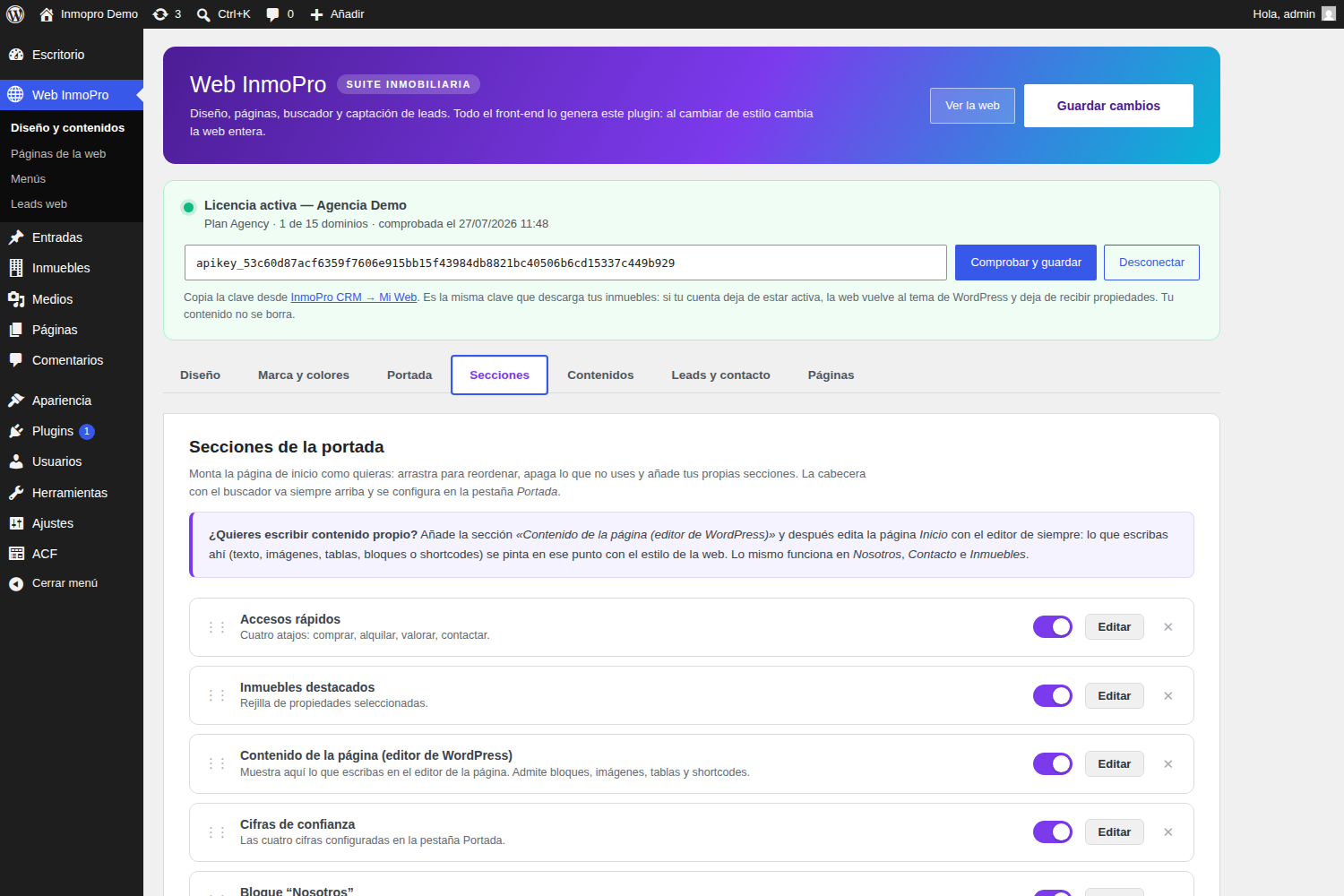
Sections you can add
| Section | What's the use |
|---|---|
| Text with image | A free block with headline, text, photo and button. You can repeat it as many times as you want. |
| Page content | Show what you write with the usual WordPress editor. |
| Frequently asked questions | Acordeón de preguntas y respuestas. Una por línea con el formato Pregunta|Respuesta. |
| Customer reviews | Testimonios. Formato Nombre|Población|Opinión. |
| Banner with image | Wide Strip with a call to action. |
| Free HTML or short | To embed a video, map or anything. |
Write with the WordPress editor
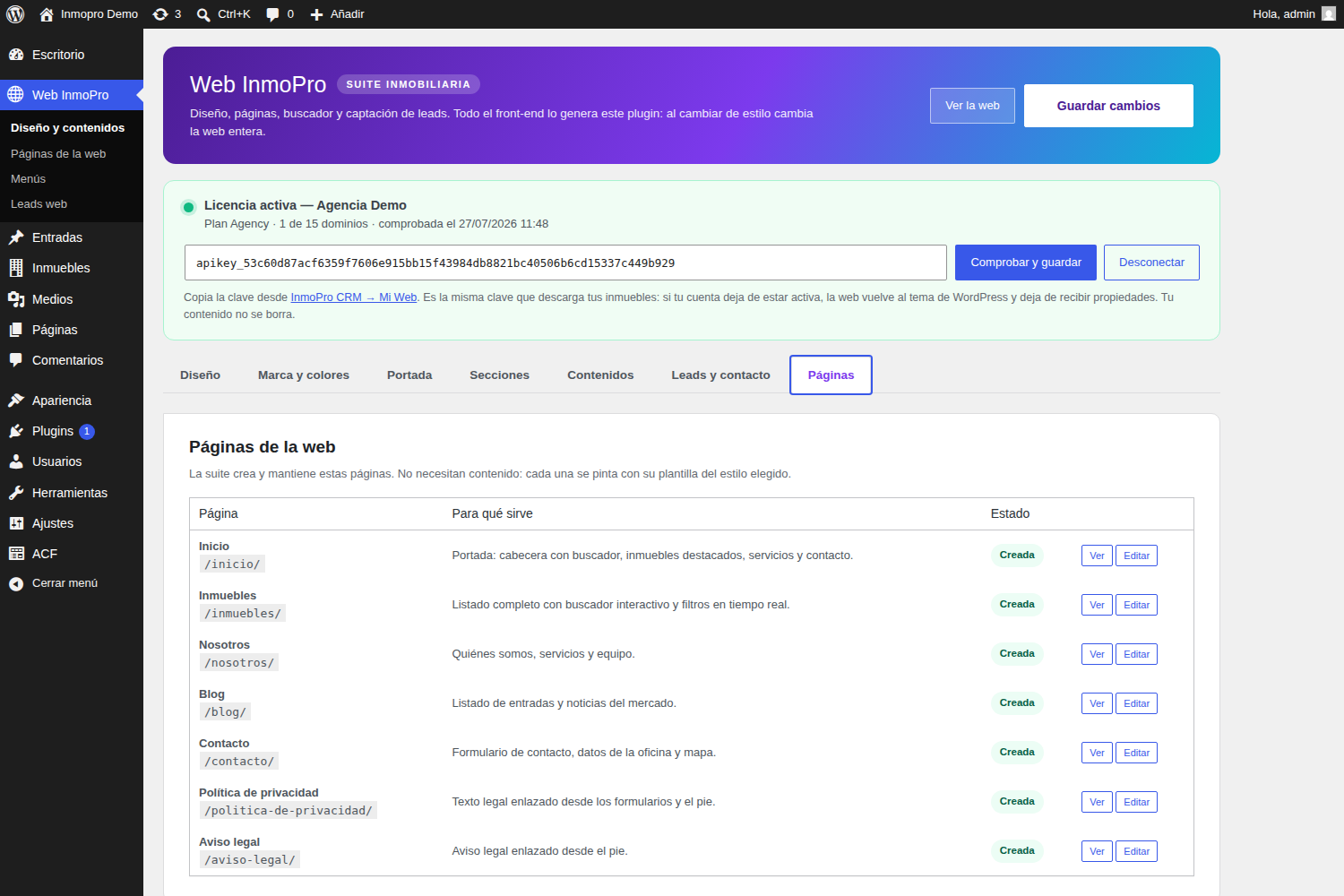
If you add the section"Content of the page", everything you write on the page editorHomeit's painted at that point with the style of your web.
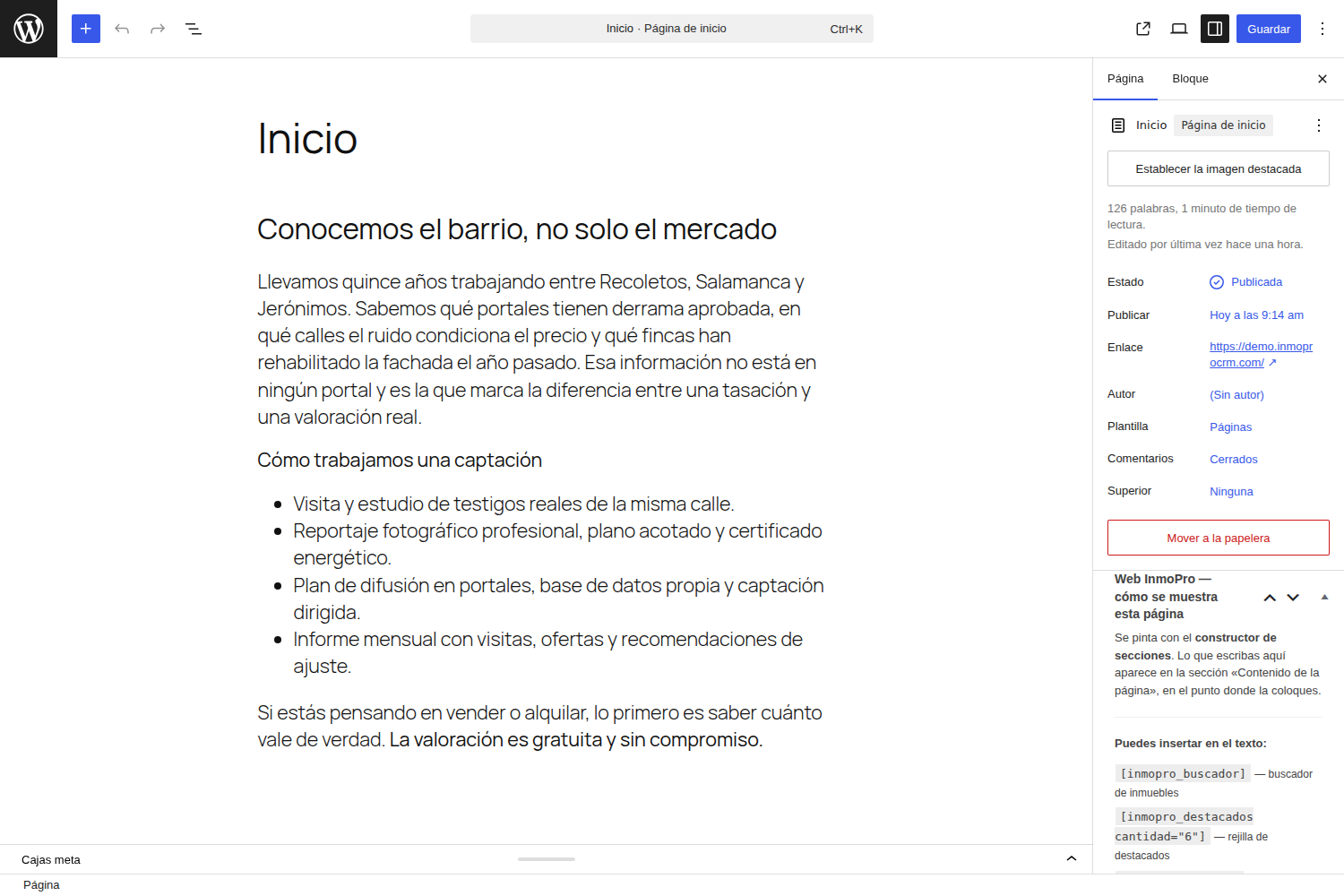
The same thing works without setting anything up inWe, Contact e Real estate.
10Configure the contact reception
Pestaña Leads and contact. This is the most important thing about the web: that the stakeholders come to you.
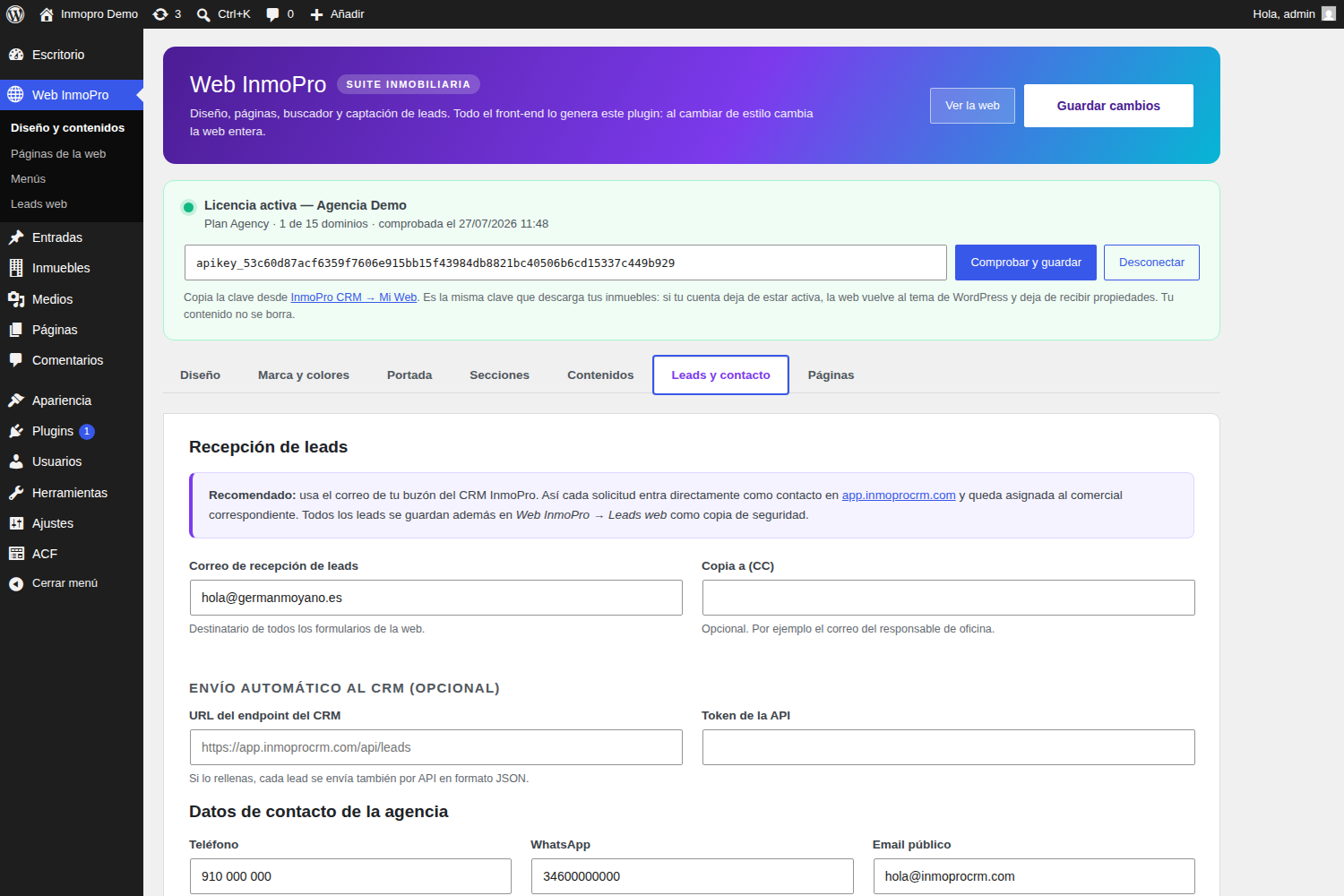
- Lead reception mail:use your CRM's mailbox for each application to enter as contact in InmoPro.
- WhatsApp: ponlo con prefijo y sin espacios (
34600000000). Añade un botón flotante en toda la web. - Map:paste the code given to you by Google Maps in "Share → Insert a map.".
11Adjust the menu
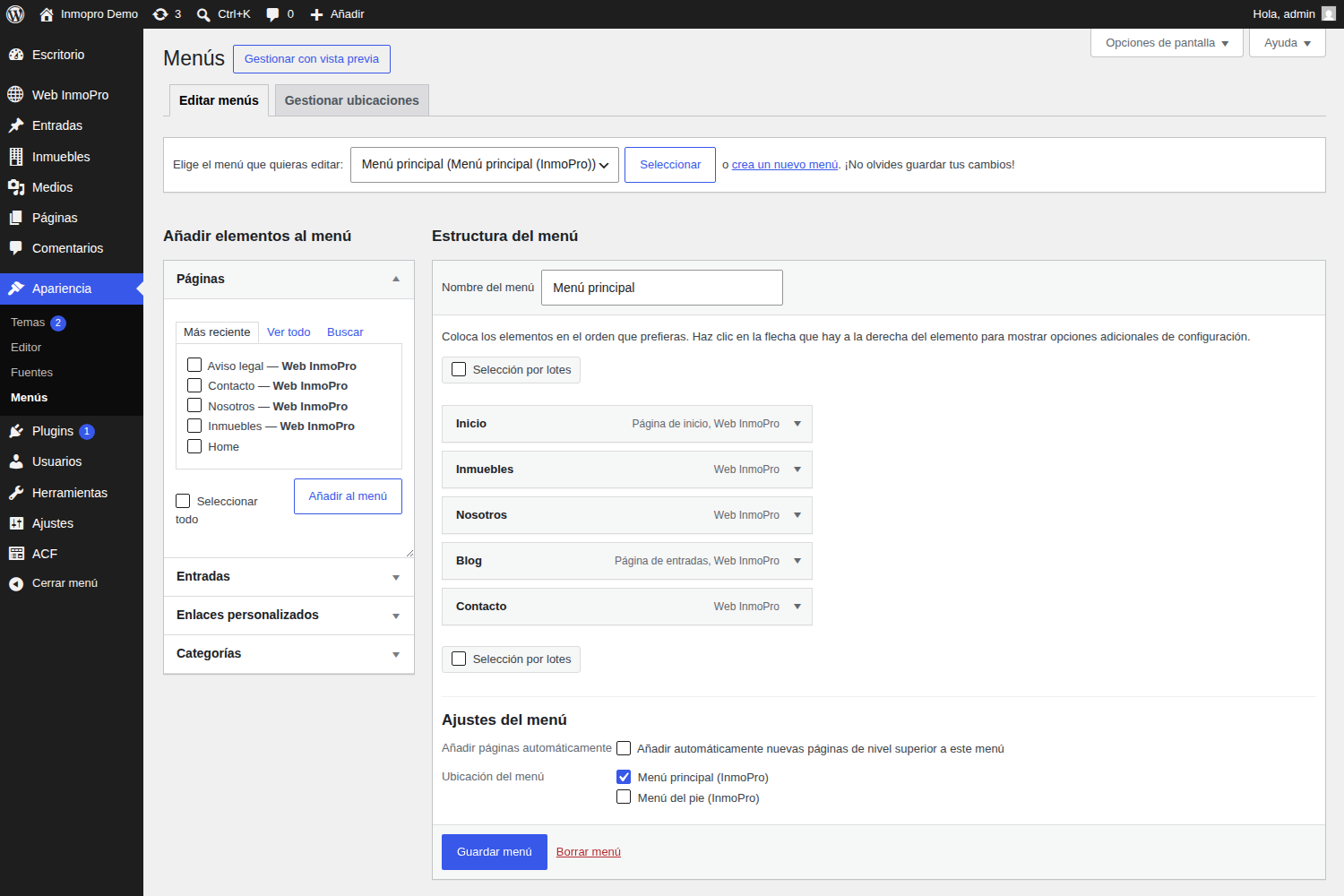
The plugin creates an automatic menu, but you can ride yours inWeb InmoPro → Menus.
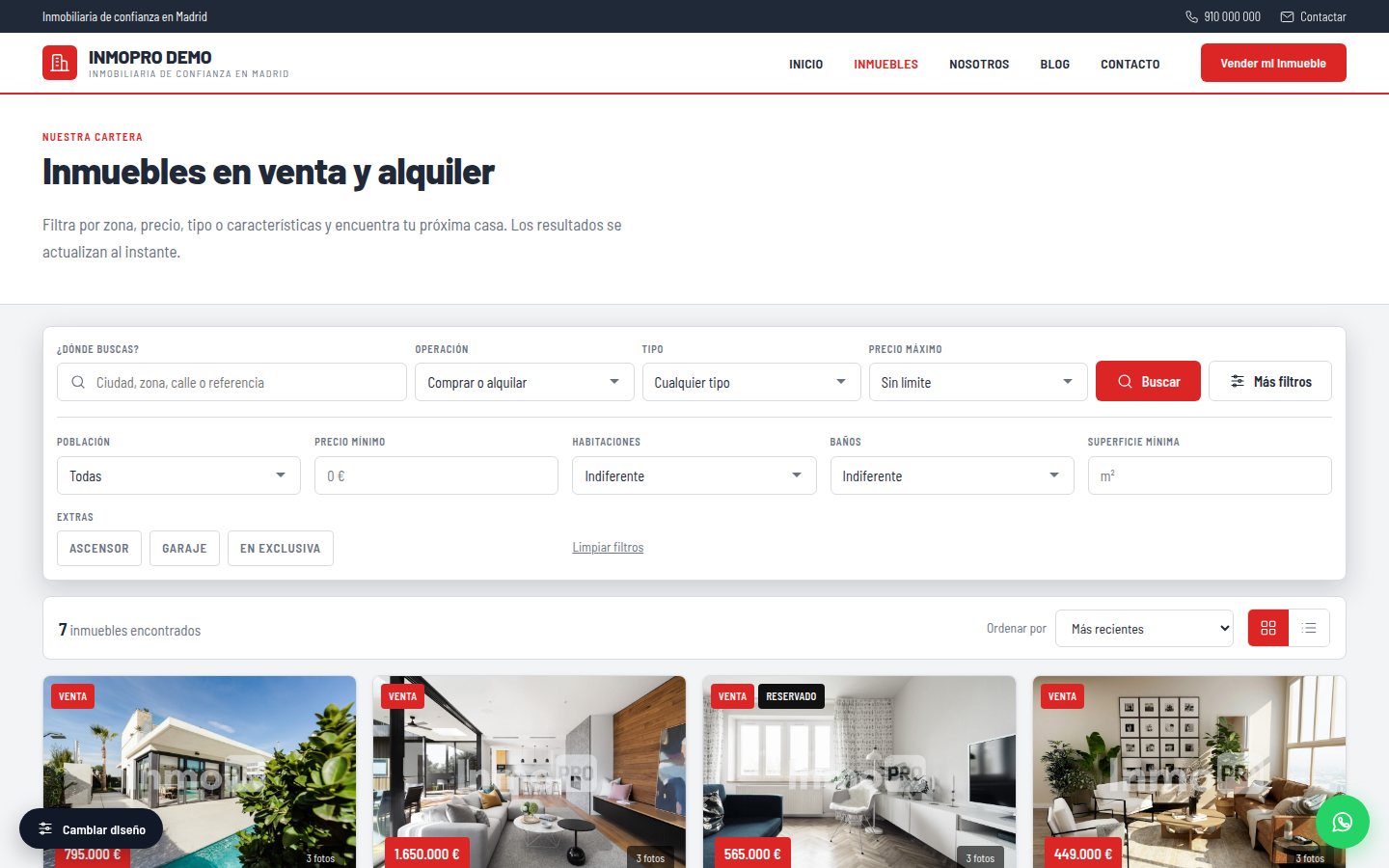
✔The result
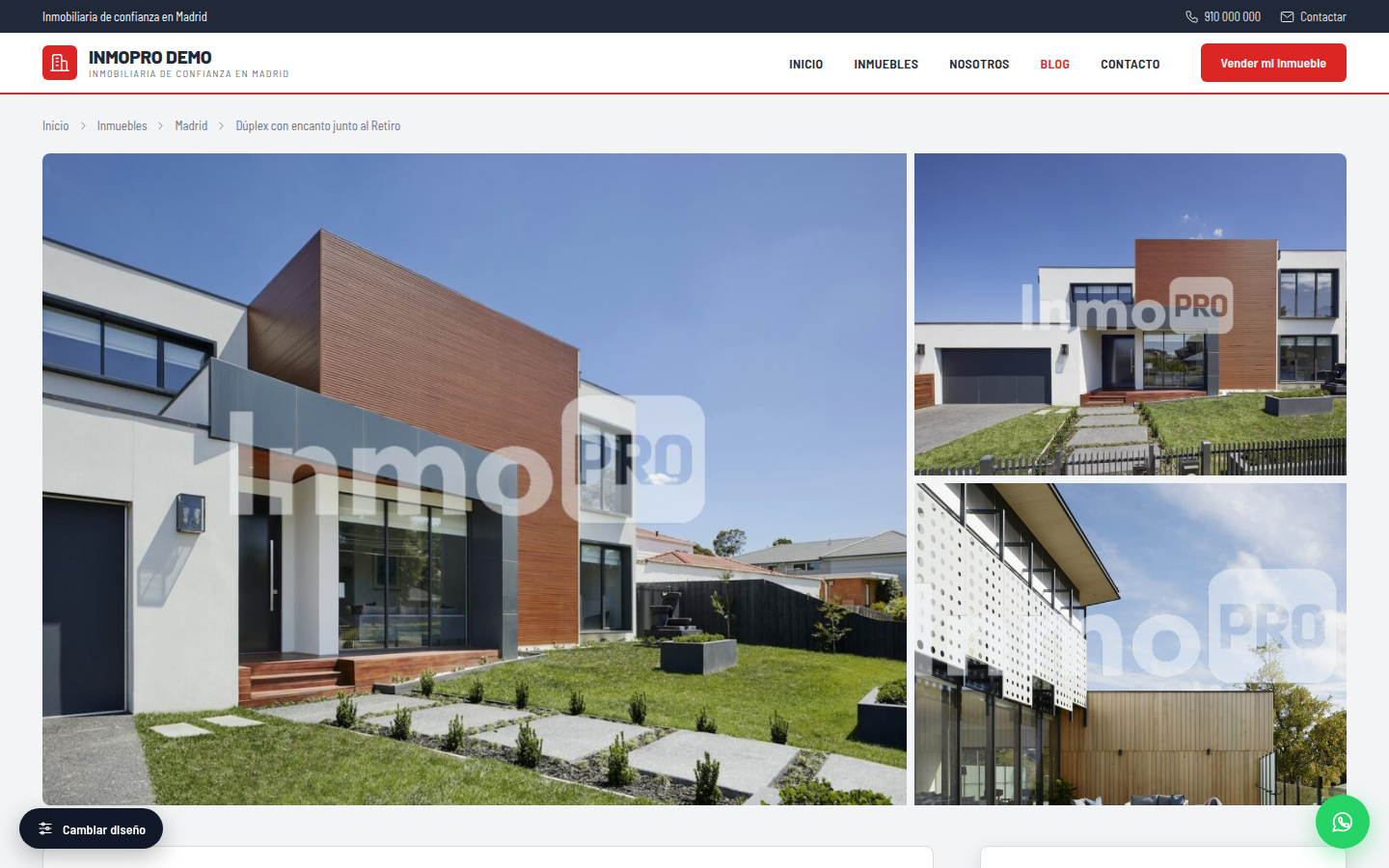
Shall we start?
Create your account, upload your listings and get the site live this week.
?Common doubts
Can I use the unaccounted InmoPro plugin?
No. The plugin needs an active account: hence the buildings and the license come out. If the subscription is cancelled or is unpaid, stop synchronizing and the web returns to the WordPress theme. Your content is not deleted: When you reactivate the account, everything returns as it was.
How many websites can I install it on?
Depende de tu plan. Lo ves en el CRM, en «Webs conectadas». Los entornos de pruebas
(localhost, .local, dev., staging.) no consumen licencia.
Si te mudas de dominio, libera el antiguo desde esa misma pantalla.
What if I change design?
Nothing is lost. The texts, images and sections are the same: it only changes how they look. You can go and come back as many times as you want.
Can I edit the website with Elementor or Divi?
No hace falta y no es recomendable: el plugin genera la web entera. Si quieres maquetar con tu propio tema,
desactiva «Activar el diseño de la suite» y usa los atajos [inmopro_buscador],
[inmopro_destacados], [inmopro_listado] y [inmopro_contacto] donde quieras.
The website does not show real estate
- Check that the license panel is in green.
- See that the import has ended inReal estate → Import.
- Check in the CRM that the buildings are not marked "Do not publish on the web.".
What about Google positioning?
As a WordPress with your domain, you can install any SEO plugin (Yoast, Rank Math) and it will work normal on the pages that InmoPro generates.


